AI Video & Image Bootcamp · Cohort 01
Stop renting credits.
Start owning the model.
ChatGPT, Claude, Midjourney, Sora, Runway — every one of them meters you by the generation, watermarks the result, and decides what you are allowed to make. In 14 evenings we teach you to run your own models on your own machine: unlimited images and video, uncensored, private, and free to run for as long as you own the computer.
Registration takes about three minutes. Pay in full, or hold a seat with a deposit.
- Format
- 14 live evenings, online
- Starts
- 12 October 2026
- Sessions
- 7:00 – 9:30 PM GMT
- Cohort size
- Capped at 30
The arithmetic
You are not buying a tool.
You are renting permission.
A subscription is not the expensive part. The expensive part is that the meter runs while you experiment, the policy decides what you may deliver, and at the end of the year you own nothing you can point at. Run the numbers on your own output.
What a year of renting costs
At that rate you are spending about GHS 740 a month to make work you never own. The bootcamp costs itself back in 4.7 months — and every image and clip after that is free.
Assuming cedis per image and cedis per five-second clip — a mid-market figure across the current paid tiers. Change both to whatever you actually pay. Running locally still costs electricity, and a GPU if you do not already own one; it does not cost you per generation.
What you will be making
None of this is real. All of it is ours.
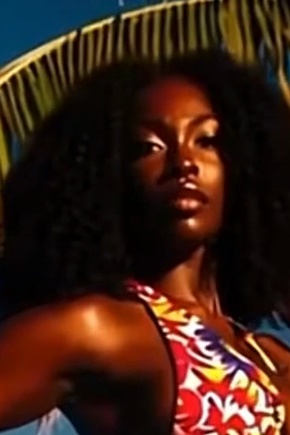
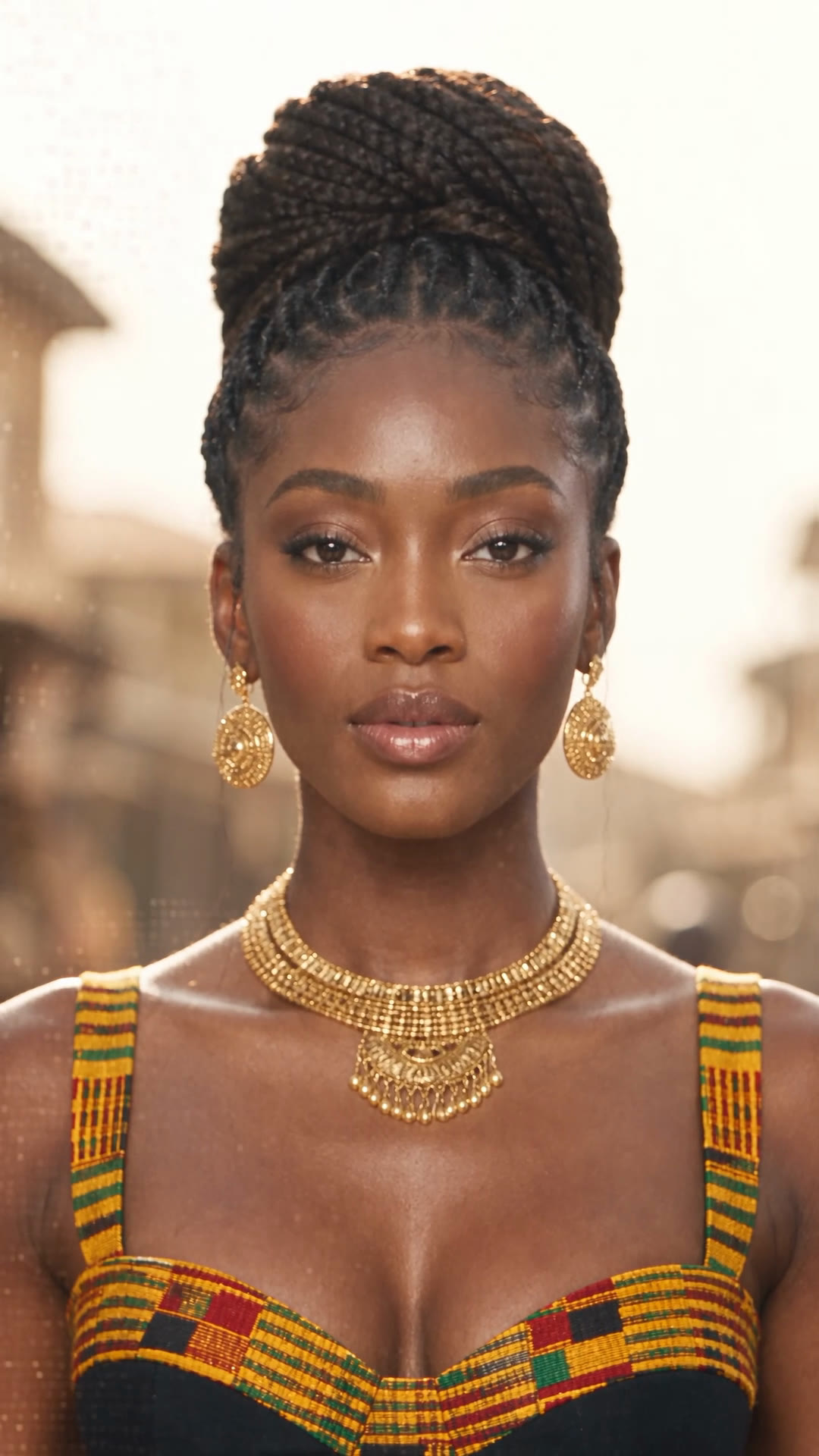
Every frame on this page was generated for Scratchcode Academy’s own campaign — locally, with open models, on hardware this course teaches you to set up. No stock, no licensing, no shoot. This is the standard of work the fourteen evenings are aimed at.
The whole trick
One reference image. The same person in every shot.
Hosted tools give you a different face each time you press generate. Day 7 is entirely about making that stop — with a trained model and an identity reference, so a campaign, a channel or a film holds together.


The film
Sixty seconds, and not one of them was filmed.
Our own campaign piece — the people, the market, the crowd, the desk, the workflow. Generated frame by frame on a local machine, then cut. It is the clearest single answer to “what will I actually be able to do”, and by Day 11 you will have made something like it.
Who it is for
Built for people who need output, not a hobby.
No prior AI experience is assumed and no coding is required. What is required is a reason to make a lot of visual work, and the patience to spend an evening on an install.
Creators and influencers
Post every day without filming every day. Clone yourself, or build a character who is yours alone, and generate a month of content in an evening.
Social media managers and agencies
Turn a campaign brief around in a day instead of a fortnight. No shoot budget, no model release, no reshoot when the client changes the copy.
Brand owners and online sellers
Catalogue photography, lifestyle shots and ads for your own products — generated on demand, in your own house style, for the cost of electricity.
Filmmakers, editors and motion designers
Previs, inserts, establishing shots and whole scenes without a crew or a location. Keep continuity across a sequence and cut it like footage.
Photographers, designers and illustrators
Add generation to the service you already sell. Your eye is the part that cannot be automated — this gives it a much faster hand.
Developers and technical beginners
You are comfortable with an install and a config file. That is most of the barrier gone, and this is a market that pays for the other half.
And, honestly, not for you if —
- You want one button that makes finished work. This is a craft, and fourteen evenings is the honest length of it.
- You cannot give it two and a half hours a night, plus practice between sessions.
- Your machine is below the minimum and you are not willing to rent a GPU by the hour while you save for one.
- You want to generate content that targets, impersonates or sexualises a real person without their consent. You will be removed, and refunded.
Where it leads
What the skill is actually worth.
Local generation is still rare in West Africa, and the brands who want this work already have budgets for it. These are the routes our students take.
Creator-style ads for brands
The format Ghanaian brands are buying most right now — a believable presenter holding a real product, cut for TikTok and Reels. One person, one evening, no shoot.
A character who belongs to you
A face-consistent AI persona you own outright, across every platform. Nobody can raise their rate, get sick, or take the audience with them.
Product and catalogue imagery
Studio, street and lifestyle shots of the same product, in any wardrobe and any light, generated the day the stock lands instead of the week after.
Short film, music video, previs
Shots that would need a location, a permit and a crew — generated, graded and cut on a laptop, with continuity that holds across a scene.
Automated content pipelines
A queue that renders a week of assets overnight, names and crops them per platform, and hands you a folder in the morning. Sold as a retainer, it prices itself.
A service you can sell on day fifteen
Local generation is still rare enough in West Africa that the supply gap is real. We finish the course with a portfolio, a rate card and a pitch already sent.
We teach the craft and the commercial routes people are actually taking with it. What you earn depends on your work, your market and your hustle — we do not promise an income, and you should be sceptical of anyone who does.
The programme
14 evenings, in four phases.
Monday to Friday, 7:00 – 9:30 PM GMT, live on Zoom. Each evening is hands-on and ends with something on your drive that was not there at seven o’clock.
Foundations
Days 1–3Understand the machine before you drive it. By Friday you are generating on your own hardware, and you know why each setting does what it does.
- Diffusion in plain language: noise in, image out, and what the sampler is really doing
- Checkpoints, VAEs, CLIP, LoRAs, ControlNets — the vocabulary you will use every day after this
- Open weights vs closed APIs: what you give up, what you gain, and where the licence lines are
- The landscape as it stands: SD 1.5, SDXL, FLUX, and the current open video models
- Clean install of ComfyUI on Windows, and the Apple Silicon route for Mac users
- Drivers, CUDA, PyTorch and the four errors that stop 90% of first installs
- Where models live, how to organise 200GB of them, and how to not download the same file twice
- Your first render, start to finish — plus the cloud-GPU fallback if your machine is not ready yet
- Dataset craft: how 15 good images beat 300 bad ones, and how to caption them
- Training a LoRA on a face, a product, a garment or a visual style
- Reading a training run: loss, steps, overfitting, and knowing when to stop
- Testing, versioning and shipping your model so it behaves the same next month
Image
Days 4–7From "an AI picture" to a photograph that survives a client review at full resolution.
- Sampler, scheduler, CFG and steps — what each one costs you and what it buys
- Resolution, aspect and the upscale chain that survives a 4K crop
- Skin, hair, fabric and metal: the four textures that give a fake away
- Hands, eyes, teeth, text — the classic failures and the repair passes that fix them
- The prompt as a shot list: subject, lens, lighting, grade, film stock
- Negative prompting and weighting — steering instead of begging
- Golden hour, hard key, practicals, rim light — lighting language that the model obeys
- Building a house style you can reproduce on demand, and a prompt library to keep it
- Why hosted tools block swimwear, lingerie, medical, editorial and political work — and why local models do not
- Running uncensored open weights safely on your own machine, offline and private
- Client-safe workflows: brand safety filters you apply yourself, on your terms
- The rules that still apply: consent, likeness rights, Ghana’s data protection law, platform policy, and the categories that are illegal everywhere
- IPAdapter and FaceID: locking a face without retraining anything
- Combining a trained LoRA with an identity reference for total consistency
- Cloning yourself: photographing a reference set that actually works, then generating a year of content from it
- Wardrobe, age, expression and angle changes that keep the same person
Motion
Days 8–11Stills become footage. Footage becomes an ad, a scene, a music video.
- The open video stack today, and what each model is genuinely good at
- Image-to-video: driving motion from a frame you already approved
- Frame rate, interpolation and length — getting past the three-second look
- Camera moves, physics and the artefacts that betray a generated clip
- Reading and building a graph: nodes, sockets, types and execution order
- The production graph — checkpoint, LoRA, IPAdapter, sampler, upscale, video combine
- Reusable sub-graphs, batching and queueing overnight runs
- Debugging a graph that has stopped working, and version-controlling your workflows
- Anatomy of a UGC ad: hook, problem, product, proof, call to action
- Generating a believable presenter, then keeping them across a whole campaign
- Product fidelity — getting a real client’s bottle, phone or fabric to survive generation
- Voice, captions, pacing and the platform-native edit
- Storyboarding for generation, and shot coverage that actually cuts together
- Continuity of place, wardrobe, light and colour across a scene
- Grade, grain, aspect and sound design — the finish that hides the seams
- Assembling in an editor, and where generated footage should never go
Distribution & business
Days 12–14A skill nobody sees earns nothing. The last three evenings are about being paid for it.
- Hook structure in the first 1.5 seconds, and why most AI content dies there
- Formats that reliably travel, and the ones the platforms are quietly suppressing
- Disclosure, watermarks and staying on the right side of platform AI policy
- Reading your own analytics and iterating on evidence instead of vibes
- Batch queues, prompt sheets and overnight renders
- Automating the boring half: naming, cropping, versioning, exporting per platform
- Wiring generation to scheduling tools so posting is not a daily job
- Quality control at volume — the review step you must never automate away
- Building a portfolio that shows range and consistency, not luck
- What to charge in Ghana and abroad, per asset and per retainer
- Pitching brands and agencies, and the deliverables they expect
- Contracts, licensing, rights and disclosure when the work is generated
Requirements
What your computer needs.
Generation runs on the graphics card, so VRAM is the number that decides what a machine can do — more than the processor, more than system memory. We would rather tell you that now than on the second evening.
Linux is welcome and works well, but we teach the Windows path live.
The CPU loads and orchestrates; it is rarely the bottleneck.
16 GB is the comfortable floor. At 8 GB you will close other applications while you render.
This is the one that matters. VRAM sets your maximum resolution and whether video is realistic to run at home.
Model files are 2–24 GB each and you will collect a lot of them. An SSD roughly halves load times.
For the live sessions and for the first week of model downloads.
Will my machine run this?
Graphics memory is what decides whether the work runs at home. If you are not sure, choose “I do not know” — we check it with you before Day 1 either way.
On a Mac?
Apple Silicon (M1 through M4) runs image generation well from 16 GB of unified memory upward. Video generation is possible but slow — most Mac students on the course render video on a rented GPU and keep everything else local.
AMD or Intel Arc graphics?
They work, through ROCm or DirectML, and we will help you set it up. Be realistic: the tooling assumes NVIDIA, so expect a rougher install and fewer working nodes than the rest of the cohort.
No suitable machine yet?
You are not blocked, and you should still join. On Day 2 we set you up on a rented cloud GPU that you pay for by the hour and switch off when you are done — far cheaper than a monthly subscription, and everything else in the course is identical. Many students start there and move local once the work starts paying.
The fee
One payment. Then the meter is yours.
Cohort 01 · 30 seats
Early registration price, until 26 September 2026. Or hold your seat with a GHS 1,500 deposit and settle the balance before 12 October 2026.
- 14 live evenings, 7:00 – 9:30 PM GMT
- Every session recorded, yours for good
- A private cohort channel with the mentors in it
- One-to-one help on your install, until it runs
- Every workflow file we build, ready to reuse
- A curated model and LoRA starter library
- Your own trained model, off the course, not rented
- Portfolio review and a rate card on the final evening
- Scratchcode Academy certificate on completion
Paid securely through Paystack — card, mobile money, bank transfer or USSD. Full refund if you tell us before Day 3 that it is not for you.
Why it costs what it costs
Cohorts are capped at 30 because the second evening is an install night and everybody’s machine breaks differently. Smaller room, more screen-share time, fewer people quietly stuck.
What you spend afterwards
Nothing, per image. The software and the open weights are free, and the model you train is a file you keep. Your ongoing costs are electricity and, eventually, more storage.
If money is the blocker
Ask. There are a small number of part-scholarship places each cohort, and the deposit option exists so a seat can be held while you arrange the rest. Say so on the form and we will call you.
Registration
Take a seat in Cohort 01.
About three minutes. We ask more than a name and an email because the cohort is small enough for the answers to change how it is taught — and because we would rather sort out your hardware now than on the second evening.
Who we are talking to
The basics, so we can send your confirmation and reach you before Day 1.
This is how we will reach you first.
Questions
The things people ask before they register.
No. You need to be comfortable installing software, following precise instructions, and not panicking at an error message. Everything in ComfyUI is built by connecting boxes, not by writing code. Developers will move faster on Day 2; by Day 5 the gap has closed.
Join anyway. On Day 2 we set you up on a cloud GPU that you rent by the hour and switch off when you are finished — it is dramatically cheaper than a monthly subscription, and every other part of the course is identical. Around a third of each cohort starts this way and moves local later.
The software and the open model weights are free, and the models you train are yours. What you pay after the course is electricity, and hard drives when you run out of space. There is no subscription, no per-image charge and nothing to renew. If you choose to rent a cloud GPU instead of buying one, that is metered — but you control the meter.
Open models running on your own machine have no external content filter and no request logging, so legitimate work that hosted tools refuse — swimwear and lingerie campaigns, medical and editorial imagery, political satire, violence in a film context — simply generates. It does not mean anything goes. Consent, likeness rights, Ghana’s Data Protection Act and platform policy all still apply, and material involving minors is illegal everywhere and will get you removed from the course and reported.
Live, online, with your camera on and your screen shared when you get stuck. Every session is recorded and stays available to you afterwards, so a missed evening is a catch-up rather than a hole.
Plan for an hour a night. The sessions are hands-on, so most of the work happens with us — but models download slowly, training runs take time, and the students who practise between evenings are visibly ahead by the second week.
Yes — a Scratchcode Academy certificate on completion. Be clear-eyed about what it is worth, though: in this field the portfolio you finish Day 14 with is the thing that gets you hired.
Yes. You can hold a seat with a deposit and settle the balance before the first session, or split the fee into two payments. Choose the option that suits you on the registration form and we will send the schedule with your confirmation.
If you attend the first two sessions, do the setup work with us, and decide it is not for you, tell us before Day 3 starts and we refund you in full. After Day 3 the model weights, workflows and training material are already in your hands, so the fee is non-refundable.
For the live sessions, 10 Mbps is enough. The heavier requirement is the first week, when you will pull somewhere between 50 and 200 GB of model weights. If your connection is slow, start those downloads the day you enrol — we send the list in advance for exactly this reason.
Scratchcode Academy mentors who build this work commercially, not lecturers reading slides. Cohorts are capped so that everyone gets screen-share time when their install breaks — which, on Day 2, is most people.
Yes. The programme is fully online and the sessions run on GMT, which is workable across Africa, Europe and the Americas. Paystack accepts international cards; if yours is declined, register anyway and we will send an alternative.
Something we have not answered? Message us on WhatsApp — +233 26 829 7280.